> For the complete documentation index, see [llms.txt](https://docs.domino.run/docs/llms.txt). Markdown versions of documentation pages are available by appending `.md` to page URLs; this page is available as [Markdown](https://docs.domino.run/docs/misc/how-to-find-discord-event-id.md).
# How to Find Discord Event ID
Used for the Attend Discord Event Task
**Important!**\
You must have Developer Mode enabled to do this. Please follow this guide to turn it on: [How to Enable Developer Mode on Discord](/docs/misc/how-to-enable-developer-mode-on-discord.md)
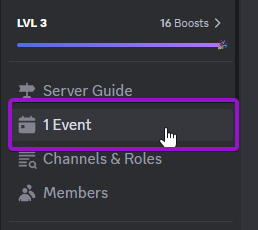
### 1. Locate the Relevant Event
The event is inside of your Discord guild.
***
### 2. Select the ‘Event’ Option
***
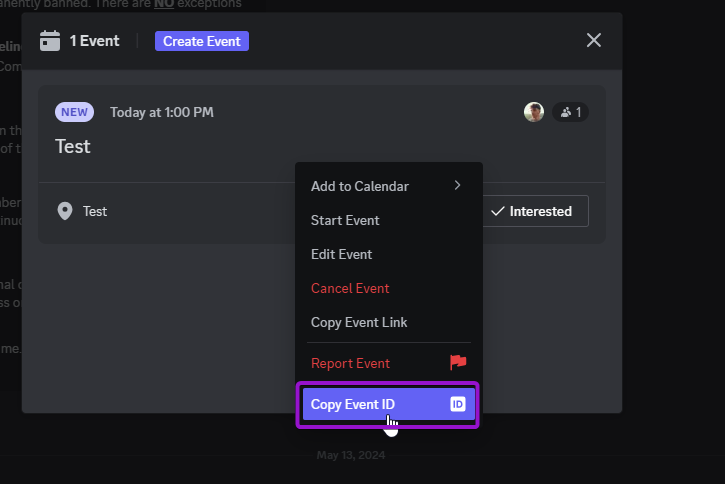
### 3. Right-Click on the Event
***
### 4. Select ‘Copy Event ID’